Showing posts with label Registry. Show all posts

Tuesday, November 24, 2020

Windows 10 20H2 Update SearchApp.exe crashing

After the Windows 10 20H2 update, Windows Search kept crashing continously. This affected search box in taskbar as well as search other search boxes systemwide.

Eventlog details:

Name der fehlerhaften Anwendung: SearchApp.exe, Version: 10.0.19041.546, Zeitstempel: 0xc404ae05

Name des fehlerhaften Moduls: ConstraintIndex.Search.dll, Version: 10.0.19041.153, Zeitstempel: 0x4f1e28d8

Ausnahmecode: 0xc0000005

Fehleroffset: 0x0000000000091692

ID des fehlerhaften Prozesses: 0x4be0

Startzeit der fehlerhaften Anwendung: 0x01d6c2759e9a42b3

Pfad der fehlerhaften Anwendung: C:\Windows\SystemApps\Microsoft.Windows.Search_cw5n1h2txyewy\SearchApp.exe

Pfad des fehlerhaften Moduls: C:\Windows\System32\ConstraintIndex.Search.dll

Berichtskennung: 74241779-5d35-4621-81f9-22cf2b2c45d2

Vollständiger Name des fehlerhaften Pakets: Microsoft.Windows.Search_1.14.0.19041_neutral_neutral_cw5n1h2txyewy

Anwendungs-ID, die relativ zum fehlerhaften Paket ist: CortanaUI


How I fixed it:

I found the solution here:

  • Confirm your search is working at all: Create a new user and check if search works. If it does, go on (with your old user where search does not work).
  • Backup RegKey: Computer\HKEY_CURRENT_USER\Software\Microsoft\Windows\CurrentVersion\Search
  • Delete the whole Key (including all sub keys + values)
  • Access the search (e.g. press windows key and try enter something)
  • Nothing will happen. Try this a few times, when it starts working again the key has been recreated.
  • Either import the backup or just use the new settings (which you may want to adjust)


Thanks to user sneusse

Sunday, January 11, 2015

How to default NumLock to ON for Windows 8 logon screen / NumLock is diabled/OFF on Windows 8 logon screen

Everytime i want to logon to Windows 8, the Keyboard NumLock is disabled, which is very uncomfortable when using a PIN code to logon or having a numeric password.
I was looking for a way how to enable NumLock as default Setting for Windows Logon Screen.

How i fixed id:
I found the solution here:
http://www.techcular.com/enable-numlock-at-windows-8-startup/
http://www.thewindowsclub.com/numlock-startup-windows-7-8.
http://www.bleepingcomputer.com/forums/t/517546/windows-81-num-lock-off-at-login-screen/

Go to the registry folder:
HKEY_USERS\Default\Control Panel\Keyboard

Set the value of "InitialKeyboardIndicators" to 2.

Thursday, July 3, 2014

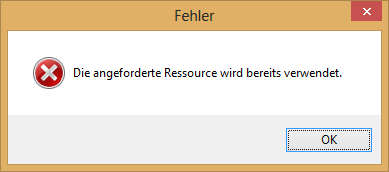
Cannot delete TCP/IP printer port because "The requested resource is in use", "Die angeforderte Ressource wird bereits verwendet" in Windows 8

I uninstalled a network printer under Windows 8, but the TCP/IP printer port was still in the list of printer ports. I tried to manually delete it form the ports list, but i got the error message "The requested resource is in use" (In german: "Die angeforderte Ressource wird bereits verwendet"). Reboot did not help.


How-I-fixed-it:
I found the right hints here: http://social.technet.microsoft.com/Forums/windowsserver/en-US/245c20bd-b6e1-4932-b91b-84fbd9767b41/can-not-delete-tcpip-printer-port-when-deleting-the-printer-on-windows-2008-server?forum=winserverprint

1. Open the registry Editor "regedit.exe"
2. Navigate to HKEY_LOCAL_MACHINE\SYSTEM\CurrentControlSet\Control\Print\Printers
3. Is the Printer deleted recently still listed there? If yes, delete the according entry in the registry
4. Restart the Spooler Service
5. Delete the TCP/IP Printer port.

P.S.
I did this, because our Network admin changed the hostname of a HP Color LaserJet 4650dn Printer and i had to re-install it on my computer.