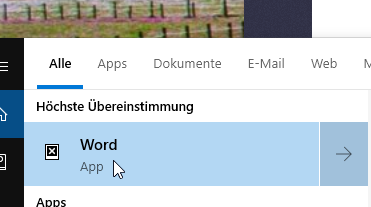
After the Windows 10 20H2 update, Windows Search kept crashing continously. This affected search box in taskbar as well as search other search boxes systemwide.
Eventlog details:
Name der fehlerhaften Anwendung: SearchApp.exe, Version: 10.0.19041.546, Zeitstempel: 0xc404ae05
Name des fehlerhaften Moduls: ConstraintIndex.Search.dll, Version: 10.0.19041.153, Zeitstempel: 0x4f1e28d8
Ausnahmecode: 0xc0000005
Fehleroffset: 0x0000000000091692
ID des fehlerhaften Prozesses: 0x4be0
Startzeit der fehlerhaften Anwendung: 0x01d6c2759e9a42b3
Pfad der fehlerhaften Anwendung: C:\Windows\SystemApps\Microsoft.Windows.Search_cw5n1h2txyewy\SearchApp.exe
Pfad des fehlerhaften Moduls: C:\Windows\System32\ConstraintIndex.Search.dll
Berichtskennung: 74241779-5d35-4621-81f9-22cf2b2c45d2
Vollständiger Name des fehlerhaften Pakets: Microsoft.Windows.Search_1.14.0.19041_neutral_neutral_cw5n1h2txyewy
Anwendungs-ID, die relativ zum fehlerhaften Paket ist: CortanaUI
How I fixed it:
I found the solution here:
- Confirm your search is working at all: Create a new user and check if search works. If it does, go on (with your old user where search does not work).
- Backup RegKey: Computer\HKEY_CURRENT_USER\Software\Microsoft\Windows\CurrentVersion\Search
- Delete the whole Key (including all sub keys + values)
- Access the search (e.g. press windows key and try enter something)
- Nothing will happen. Try this a few times, when it starts working again the key has been recreated.
- Either import the backup or just use the new settings (which you may want to adjust)